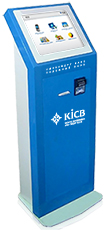
KICB electronic payment terminal
Ìý
Being in Kyrgyz Republic, you can make a donation using KICB electronic payment terminals (cash-in terminals), located throughout the country.
Cash-in terminals availibity and their placement you can findÌý.
To make a payment using KICB cash-in terminal you will need to enter yourÌýAccount Number.Ìý
Ìý
If you are:
¾ÅɫÍø alumni, please use yourÌý¾ÅɫÍø ID number. It isÌýyour account number.
If your ID number is less than 100, please insert one 0 before your ID. For example your ID is 18, please enter 018.ÌýIf ID number is less than 10, please use two 00.Ìý
If you forgot the ¾ÅɫÍø ID number, please contact with
Ìý
¾ÅɫÍø faculty or staff member,Ìý please use yourÌý¾ÅɫÍø account number.Ìý
If youÌýforgot your ¾ÅɫÍø account number, please contact with Fundraising office or HR.
Ìý
¾ÅɫÍø Friend, you need to contact Fundraising Office, to get a personal Account Number.Ìý
This number can be used for donations to ¾ÅɫÍø on a permanentÌýbasis.
Ìý
Ìý
Ìý
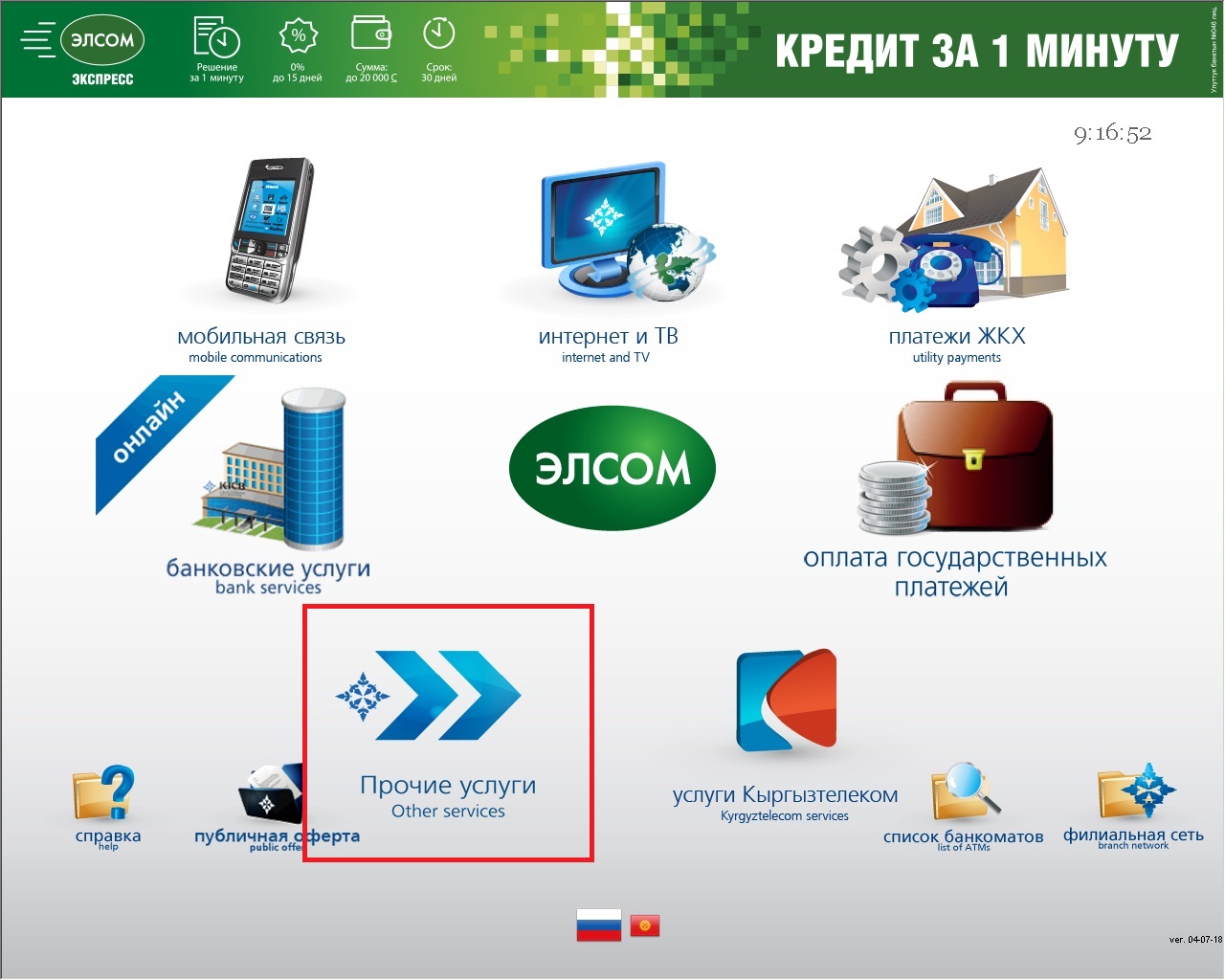
1. Select Other Services (Прочие услуги)
Ìý
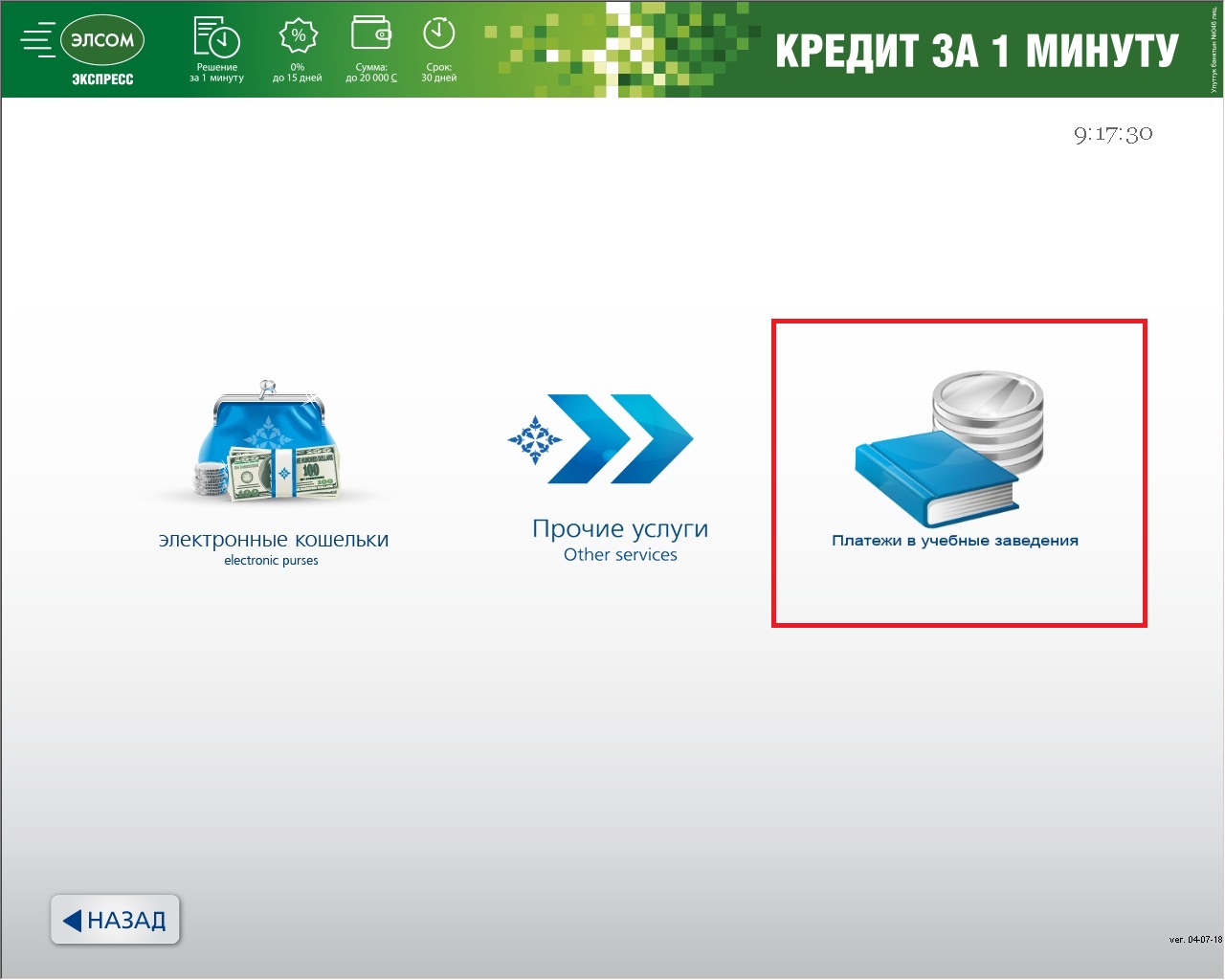
2.ÌýChoose Payments to educational institutions (Платежи в учебные заведения)
Ìý
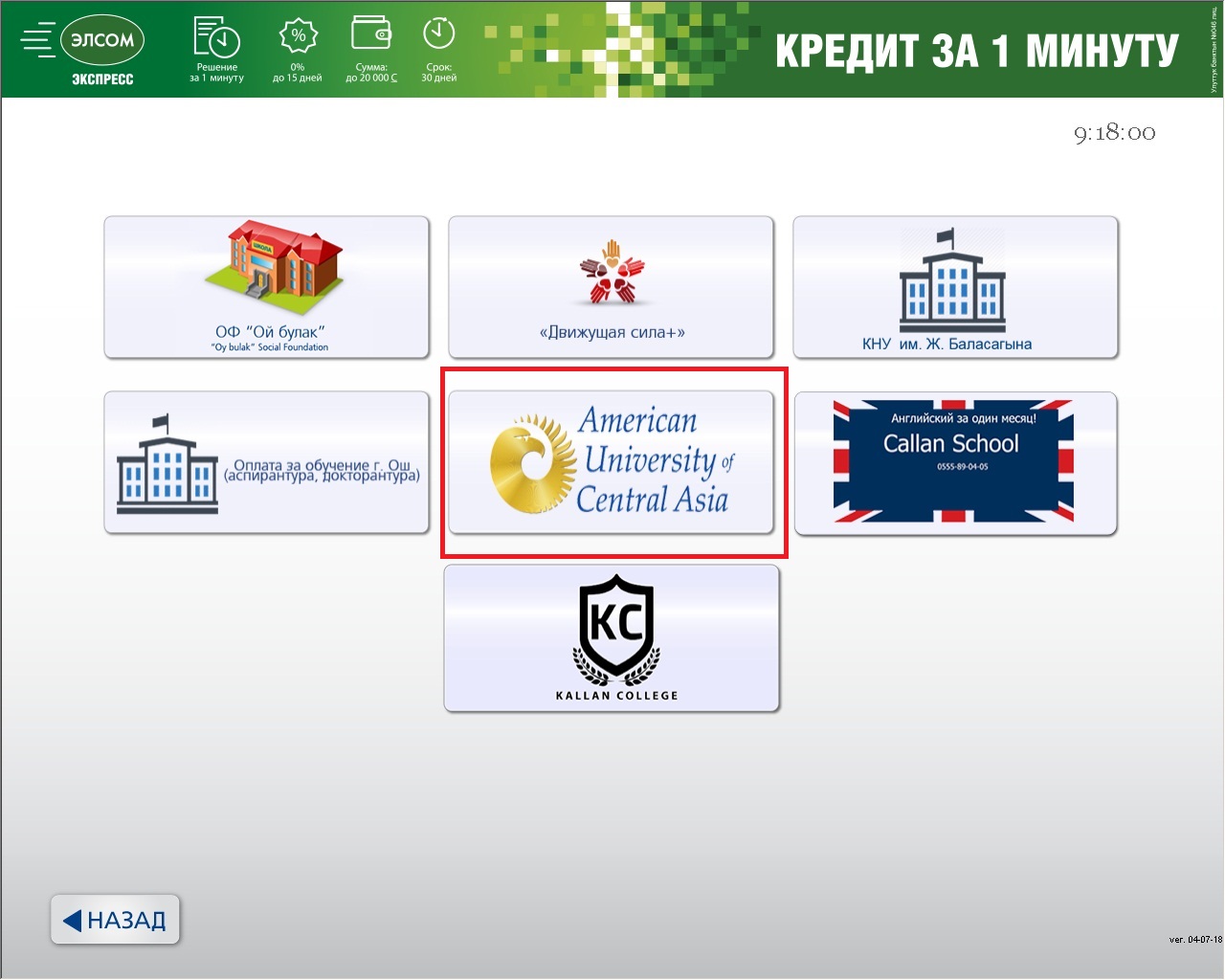
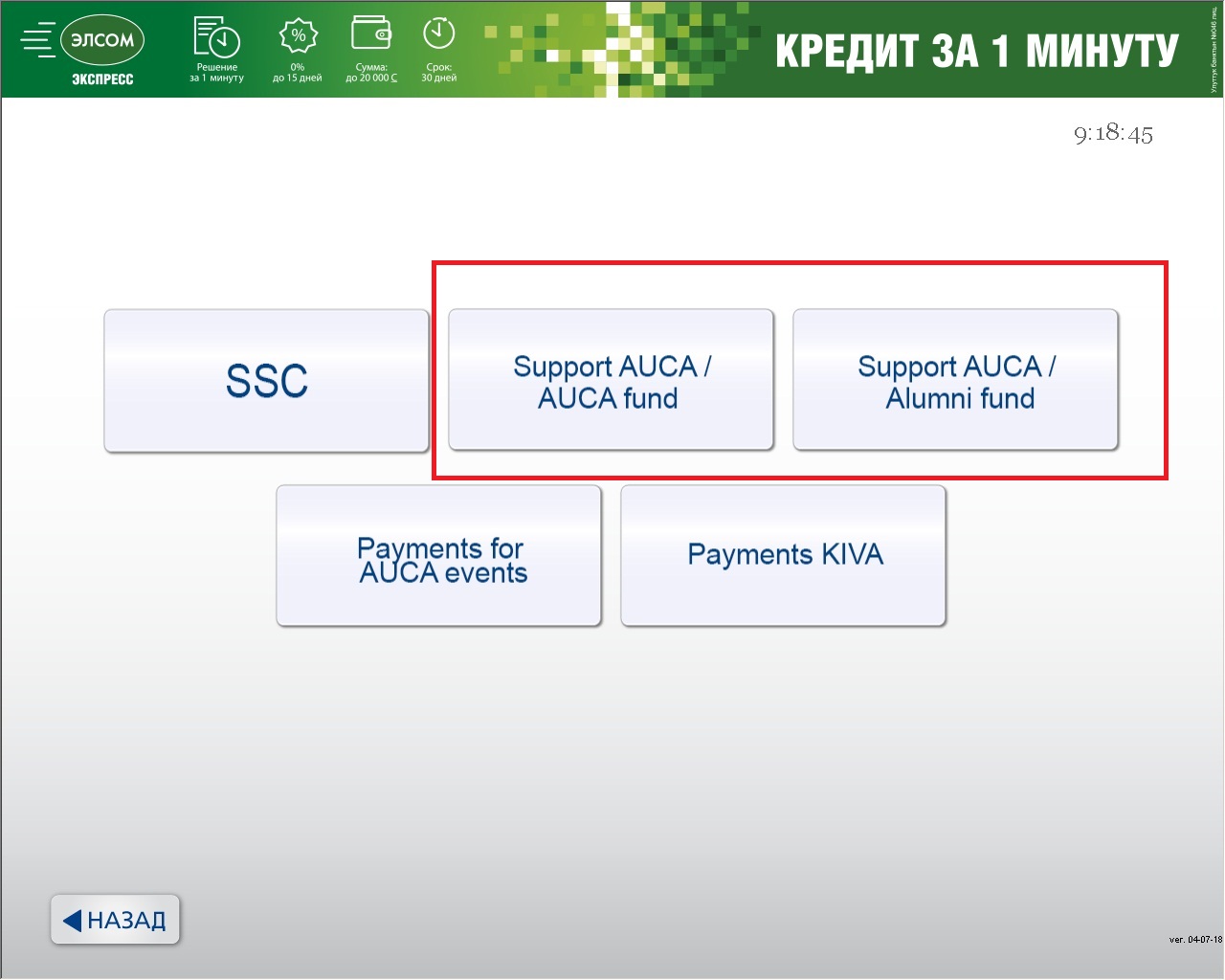
3.ÌýChoose ¾ÅɫÍø
Ìý
4.ÌýChoose Support/¾ÅɫÍø Fund or ALUMNI FUND
Ìý
5. If you selected ¾ÅɫÍø FUND, please indicate a priorityÌý
(click on the item on the right side of a screen)
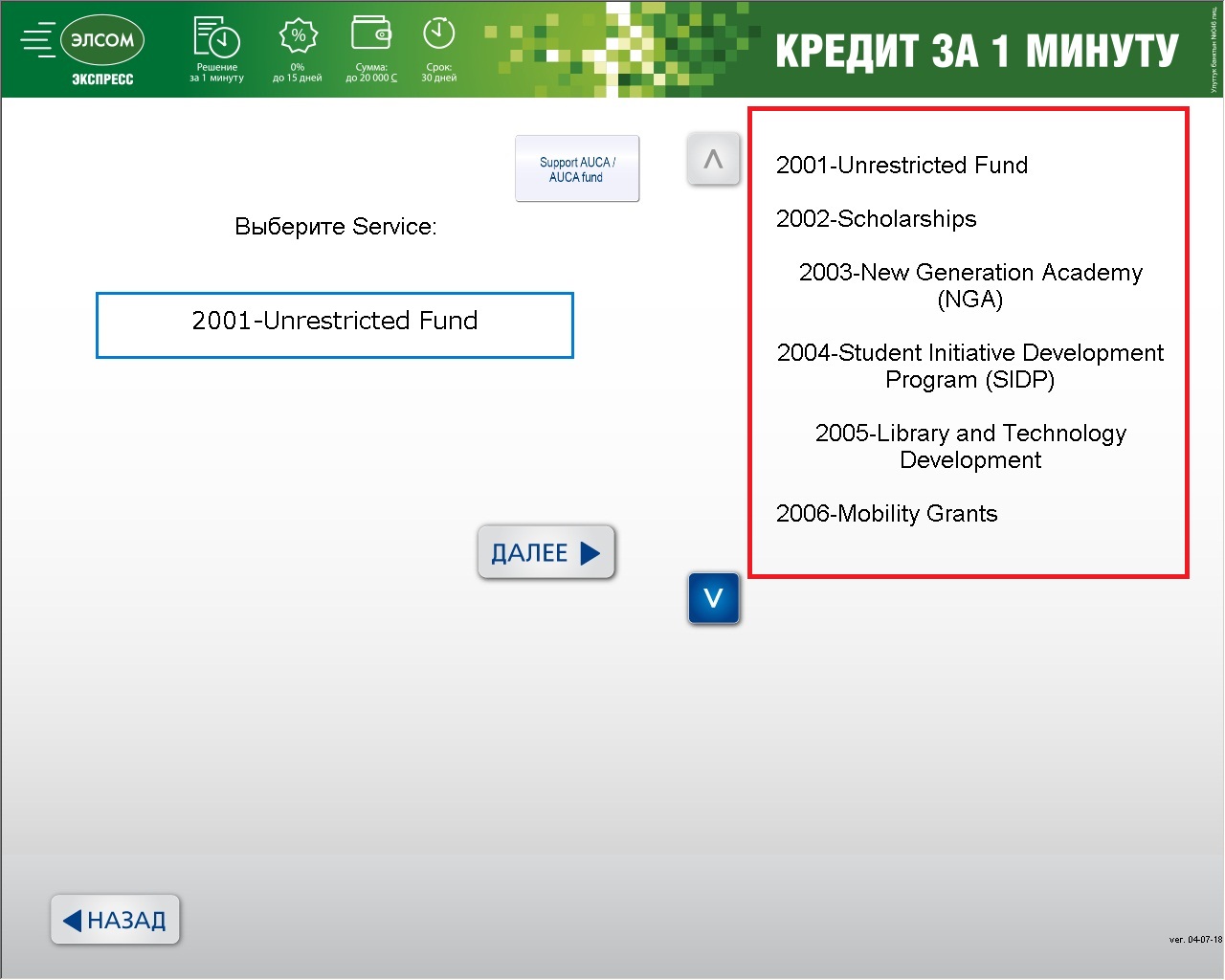
Click NEXT (Далее >)
Ìý
6. Enter your account number (please read about account numbers above)
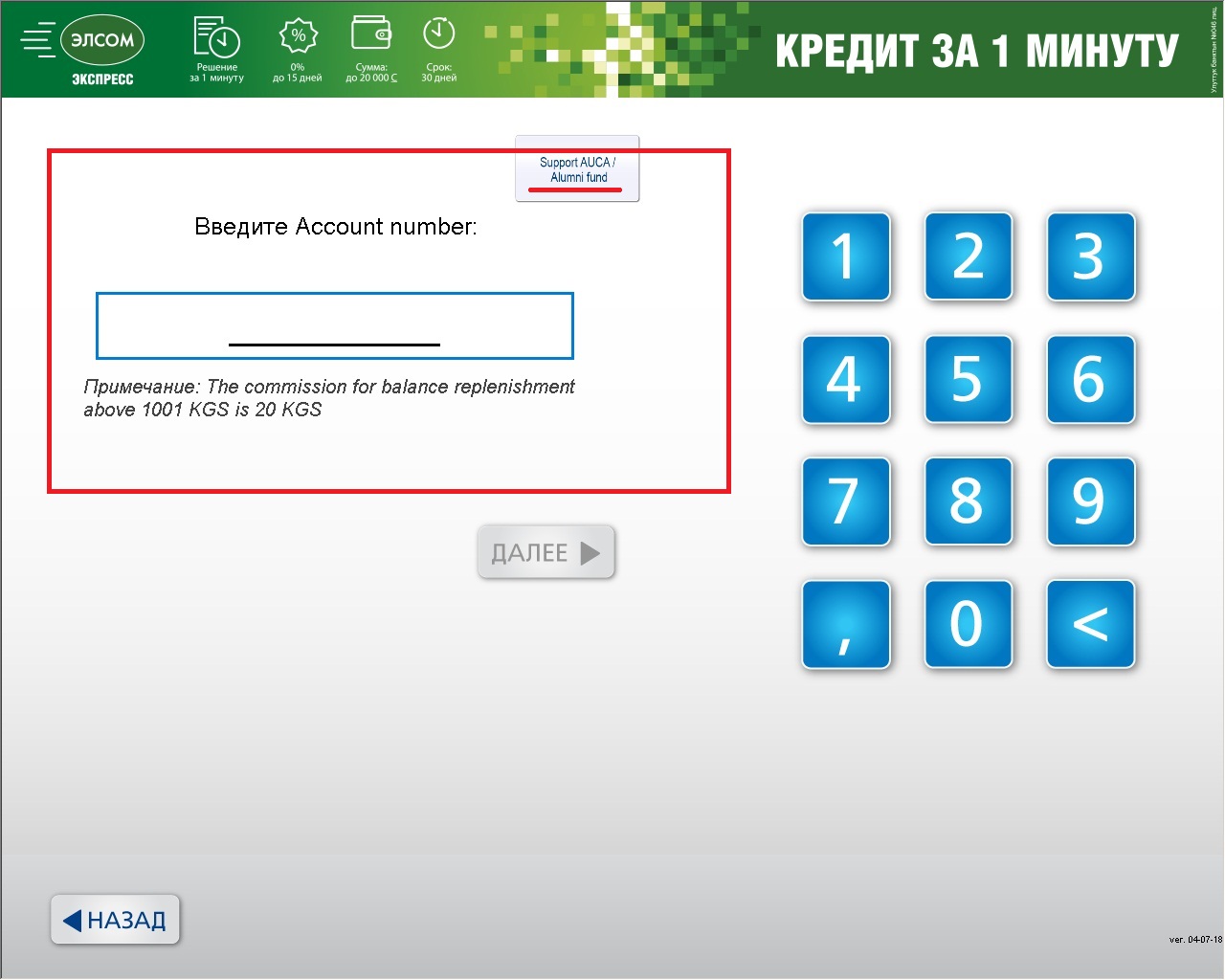
Click NEXT (Далее >)
Ìý
7. Please enter the sum for donation.
Click NEXT (Далее >)
Ìý
8. Please check that your name and sum for donation are correct.
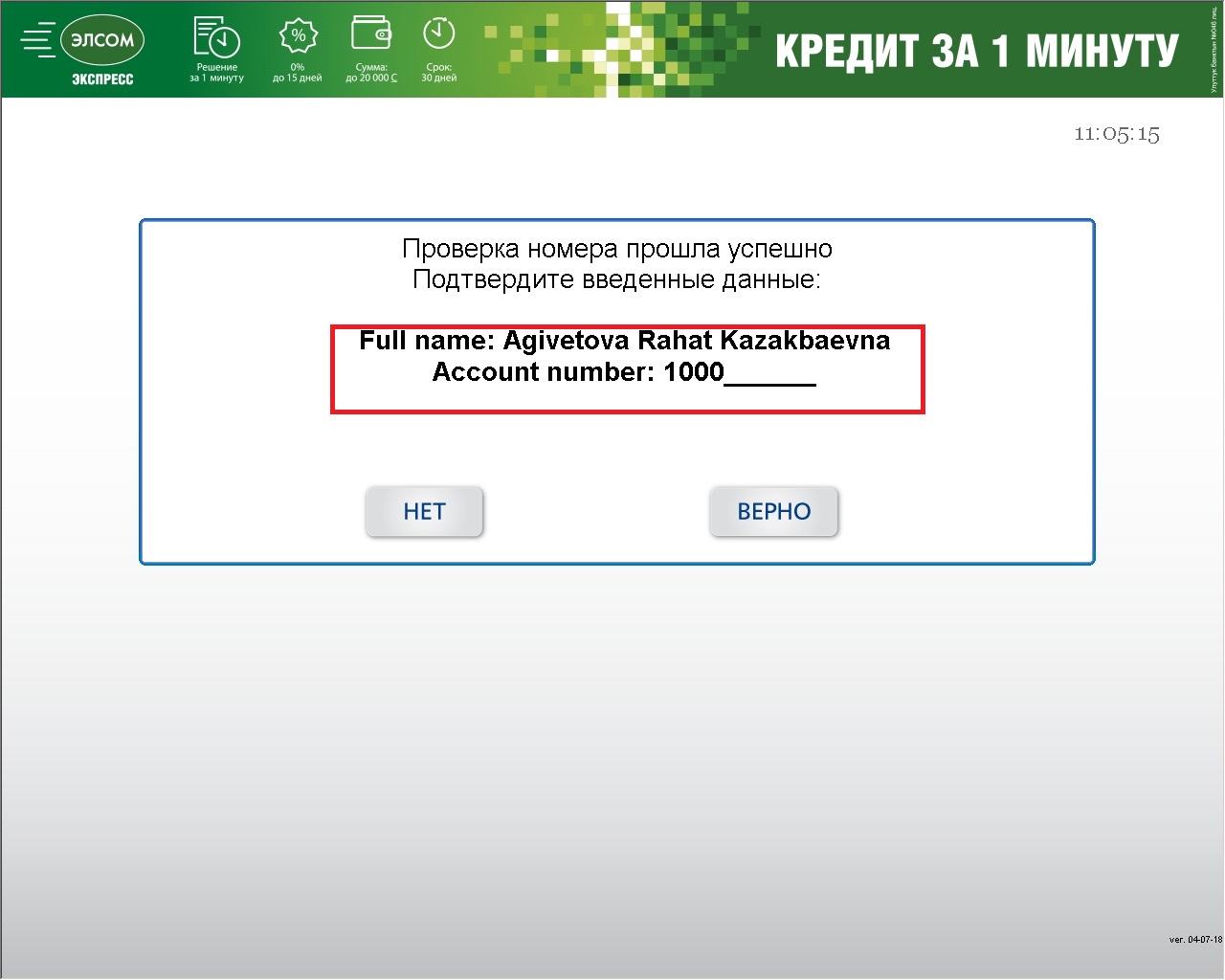
Click Right (ВЕРНО) to confirm your payment.
Ìý
You will receive a check. Please keep it.Ìý
Ìý
Please email theÌý¾ÅɫÍø Fundraising Office (fundrasing@auca.kg) or call at +(996) 312 91 50 00 + Ext. 104 about your donation,Ìýto inform the University of the transfer and ensure that it is properly credited.Ìý You can attach a photo of your check.Ìý
Please copy alumni@auca.kgÌýif you made a donation to Alumni Fund.
Ìý
Thank you very much for your donations!
